Sunny Boy

Supported Devices
| Device Type | Variants | Modbus TCP (Ethernet) | Curtailment | Minimum device firmware version |
|---|---|---|---|---|
| Sunny Boy | Sunny Boy 1.5 (SB1.5-1VL-40) | ✅ | ✅ | 4.03.07.R |
| Sunny Boy 2.0 (SB2.0-1VL-40) | ||||
| Sunny Boy 2.5 (SB2.5-1VL-40) | ||||
| Sunny Boy 3.0 (SB3.0-1AV-40) | ||||
| Sunny Boy 3.6 (SB3.6-1AV-40) | ||||
| Sunny Boy 4.0 (SB4.0-1AV-40) | ||||
| Sunny Boy 5.0 (SB5.0-1AV-40) | ||||
| Sunny Boy 3.0 (SB3.0-1AV-41) | ||||
| Sunny Boy 3.6 (SB3.6-1AV-41) | ||||
| Sunny Boy 4.0 (SB4.0-1AV-41) | ||||
| Sunny Boy 5.0 (SB5.0-1AV-41) | ||||
| Sunny Boy 6.0 (SB6.0-1AV-41) | ||||
| Sunny Boy 3000 TL-21 | ||||
| Sunny Boy 3600 TL-21 | ||||
| Sunny Boy 4000 TL-21 | ||||
| Sunny Boy 5000 TL-21 |
Wiring
For correct ethernet wiring: Follow the the guidelines for ethernet wiring.
Configuration
- Connect with your computer on the same LAN network as the SMA Sunny Boy.
- In your web browser, surf to the IP address of the device.
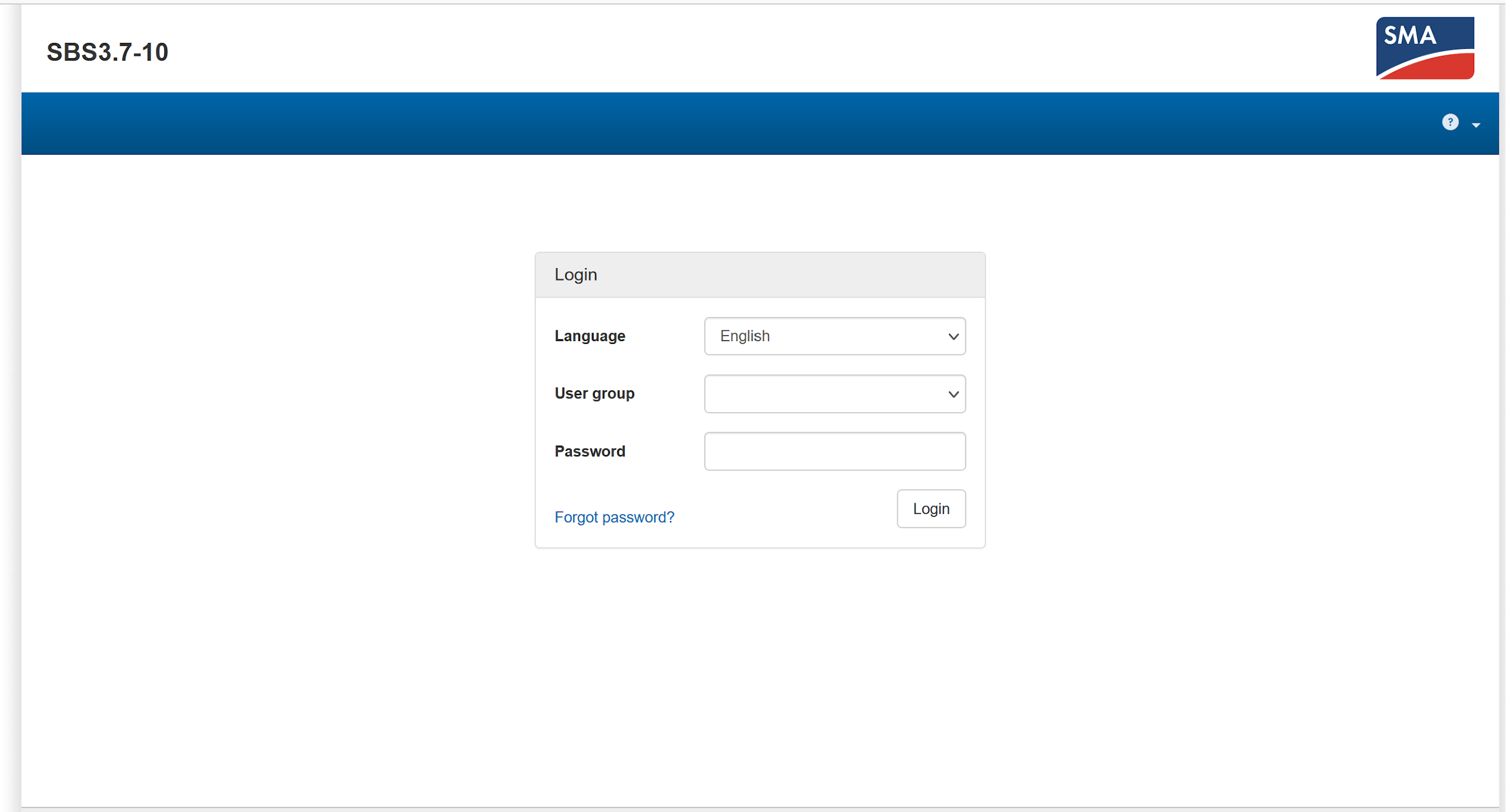
- Log in as "Installer."
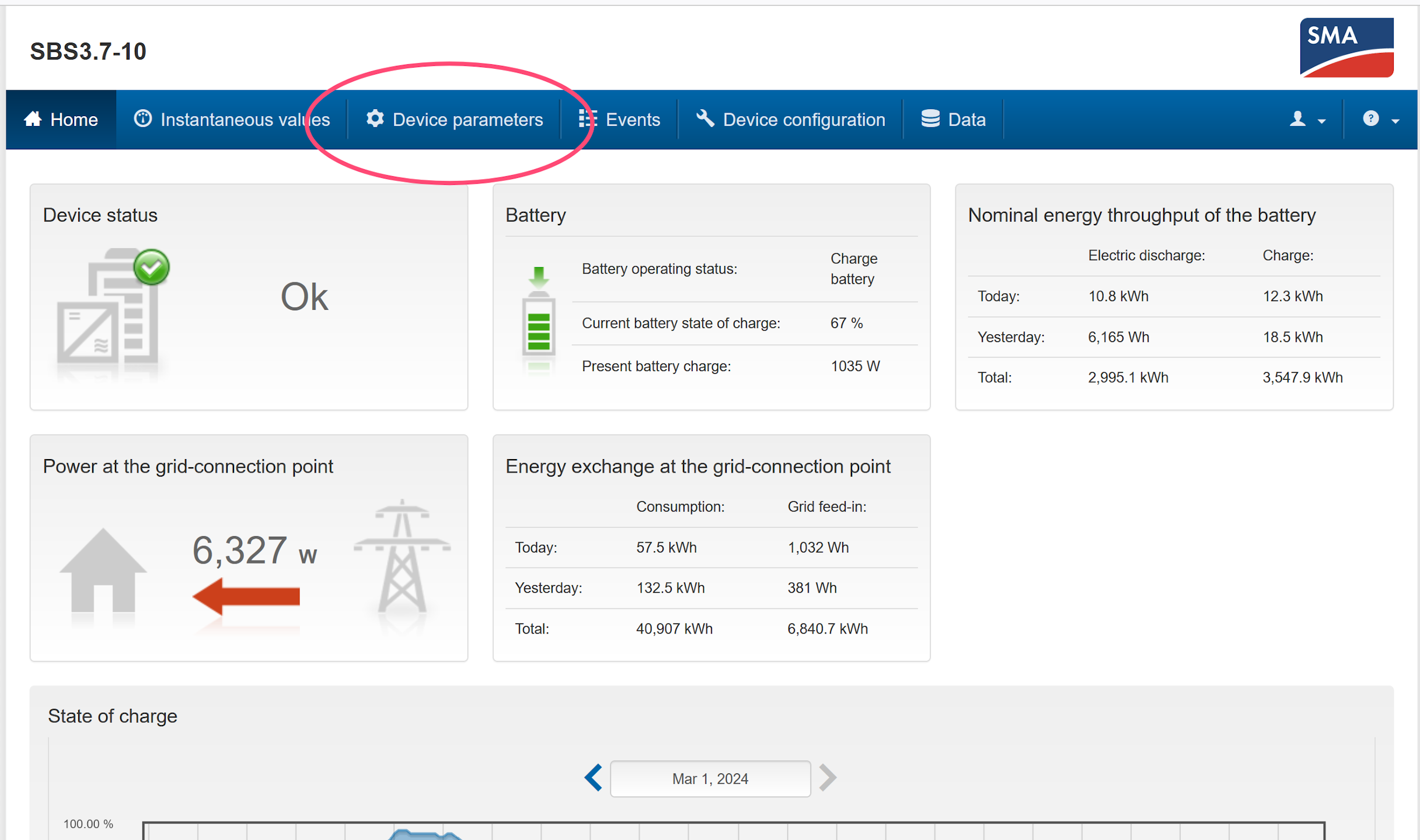
- Go to the device parameters tab.
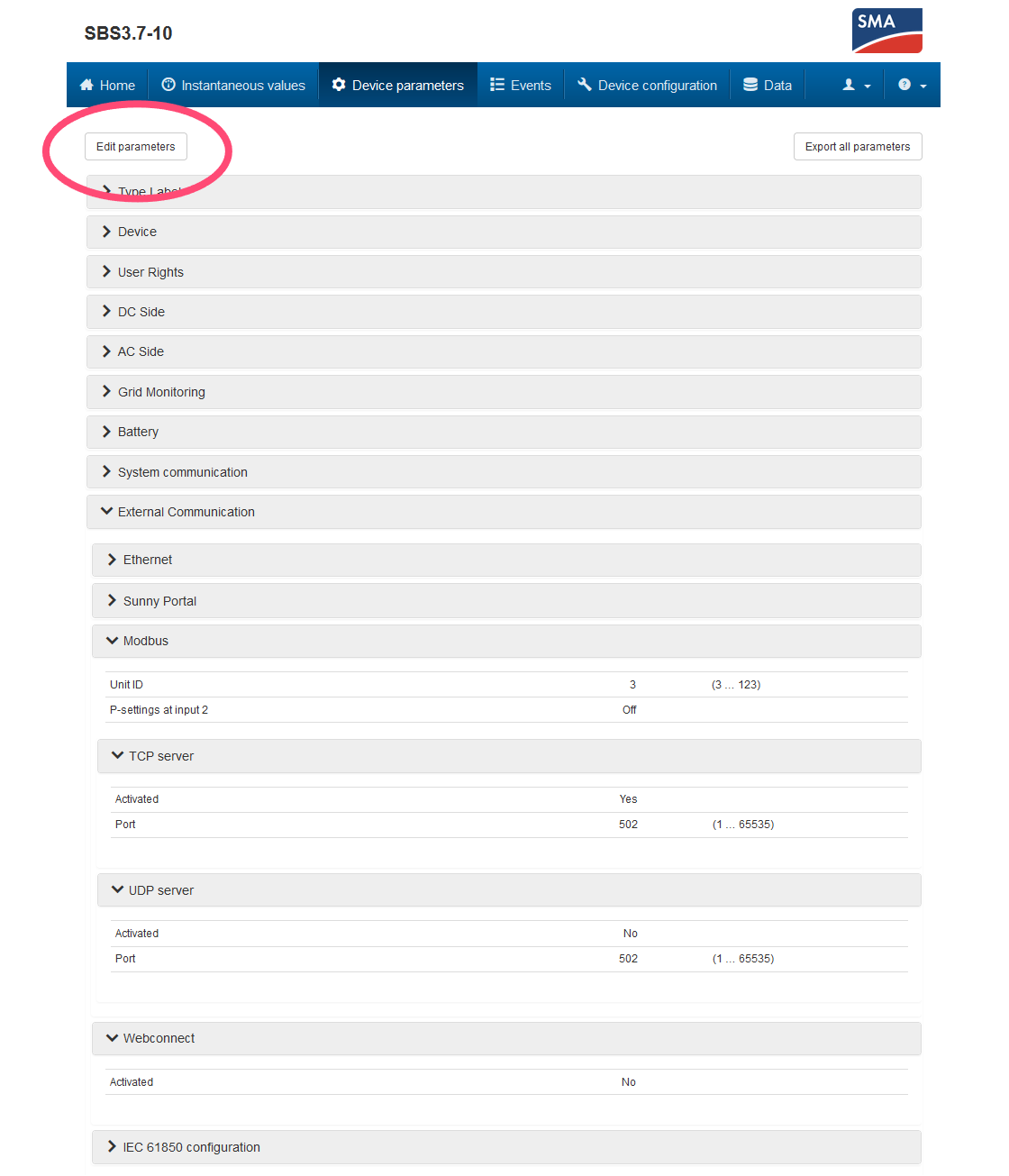
- Click "Edit parameters."
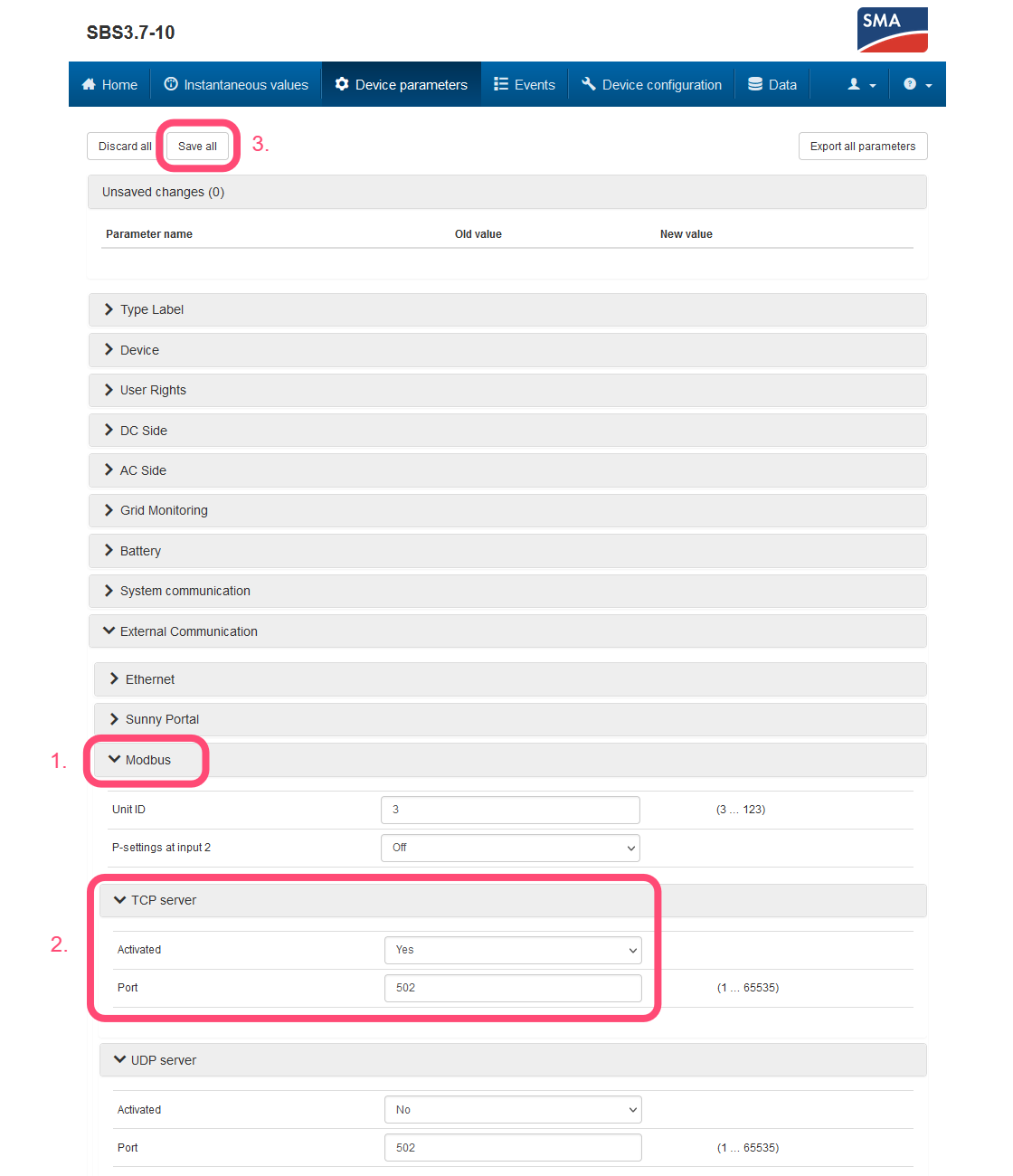
- Open the "External Communication" dropdown menu → "Modbus" → "TCP server."
- Set "Activated" to "Yes" and "Port" to "502".
- At the top of the page, click "Save all."
Connection to the Controller
You then need to connect the device to the controller, for that follow this guide : Adding a device.